|
Motore di ricerca datesheet componenti elettronici |
|
API-4260-LW150-2-R Scheda tecnica(PDF) 4 Page - PUI audio inc. |
|
|
|||||||||||||||||||||||||||||
API-4260-LW150-2-R Scheda tecnica(HTML) 4 Page - PUI audio inc. |
|
|
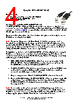
4 / 4 page  PUI Audio, Inc., 1202 E. Dayton Yellow Springs Rd, Fairborn OH 45324 Tel: (937) 415-5901 Fax: (937) 415-5925 Using the API-4260-LW150-2-R Requirements: 1. Any laptop or desktop computer with USB ports. 2. USB-A Male to Mini USB-B Male cable. 3. API-4260-LW150-2-R Loading files onto the API-4260-LW150-2-R The API-4260-LW150-2-R features 4MB of on-board flash memory and can play back any mono .wav or .mp3 audio file that is 4MB or smaller. If your file is larger than 4MB, please use a program, such as Audacity®, to compress the file or shorten the total amount of time the file takes to play, to decrease the file size. If your audio file contains stereo, two-channel, information, please use Audacity to mix down the file to a mono (single-channel) file. Note: Many audio files are saved at different levels. It is best to use a program such as Audacity to ensure that there is not a clipped signal (levels at 0 dB or above) to prevent the speaker within the API-4260-LW150-2-R from being damaged. You may also use software to increase gain levels for more output. It is recommended to keep the maximum level below -3 dB if possible (with 0 dB referenced as maximum signal level). Multiple files may be loaded onto the API-4260-LW150-2-R. Files will play back according to the file name in alpha-numeric order. Add a number to the beginning of the file name to create the order in which you would like the files to play. Please note: Files play consecutively without any pause between the files. 1. With a USB-A Male to Mini USB-B Male cable in-hand, and no power applied to the API-4260-LW150-2-R, plug the USB-A Male connector into your computer and the Mini USB-B Male connector into the API-4260-LW150-2-R. 2. The API-4260-LW150-2-R should be recognized by your computer as a USB flash drive and the default drivers for a USB drive will be assigned to the device, as well as a unique disk drive letter assignment (such as D:). 3. Drag-and-drop your audio files into the API-4260-LW150-2-R, and you’re done! 4. Disconnect the USB cable from the API-4260-LW150-2-R and computer and apply a DC voltage between 7 and 24 VDC to the red and black leads (while observing polarity). The API-4260-LW150-2-R will play back your audio files according to the order you have assigned to them. Note: In some instances, it may be necessary to use a File Explorer program to find and delete two hidden files/folders (.fseventsd and .Trashes) that are automatically loaded onto the API once connected to some computers. If your API does not repeat the loaded files once voltage is applied, please delete the .fseventsd and .Trashes files and folders. |
|
|
Link URL |
| Lei ha avuto il aiuto da alldatasheet? [ DONATE ] |
Di alldatasheet | Richest di pubblicita | contatti | Privacy Policy | Collegamento alla scheda tecnica | scambio Link | Ricerca produttore All Rights Reserved©Alldatasheet.com |
| Russian : Alldatasheetru.com | Korean : Alldatasheet.co.kr | Spanish : Alldatasheet.es | French : Alldatasheet.fr | Italian : Alldatasheetit.com Portuguese : Alldatasheetpt.com | Polish : Alldatasheet.pl | Vietnamese : Alldatasheet.vn Indian : Alldatasheet.in | Mexican : Alldatasheet.com.mx | British : Alldatasheet.co.uk | New Zealand : Alldatasheet.co.nz |
|
Family Site : ic2ic.com |
icmetro.com |
 Italian ▼
 English
 Chinese
 German
 Japanese
 Russian
 Korean
 Spanish
 French
 Italian
 Portuguese
 Polish
 Vietnamese
 Indian
 Mexican
 British
 New Zealand