|
Motore di ricerca datesheet componenti elettronici |
|
|
Motore di ricerca datesheet componenti elettronici |
|
Y1171A Scheda tecnica(PDF) 7 Page - Keysight Technologies |
|
|
|||||||||||||||||||||||||||||
Y1171A Scheda tecnica(HTML) 7 Page - Keysight Technologies |
|
|
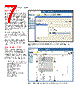
7 / 19 page  07 | Keysight | L4490A/91A RF Switch Platform – Data Sheet Switch Management Switch sequences allow you to define and control complex signal paths with user as- signed names. Sequences can be nested and called from your program. Up to 500 sequences can be defined and stored in non-volatile memory so when power is lost, the sequences are not. Use sequenc- es and the break-before-make features to ensure switch closures are made in the right order and eliminate possible damage to your valuable DUTs or test equipment. See Figure 6. Switch counts are also stored in the instrument’s non-volatile memory. So you can monitor when a a switch is nearing its end-of-life. Additionally, power up/down states can be identified and stored in non-volatile memory, protecting the DUT when power is lost. Graphical Web Interface The built-in graphical web browser inter- face provides remote access and control of the instrument via a Java-enabled browser such as Internet Explorer. Using the web interface, you can set-up, trouble- shoot and maintain your instrument from anywhere on the network. See Figure 7. – View and modify instrument setup – Configure switch/attenuator channels – Open or close switches – Send, receive and view SCPI commands – Define and execute switch sequences – View error queue – Get status reports on relay cycle counts, firmware revisions and more Figure 7. The web interface makes it easy to set up, troubleshoot and maintain your test remotely. Figure 6: L4490A/91A switch sequences developed/executed from the Web interface or programming environment |
|
|
Link URL |
| Lei ha avuto il aiuto da alldatasheet? [ DONATE ] |
Di alldatasheet | Richest di pubblicita | contatti | Privacy Policy | Collegamento alla scheda tecnica | scambio Link | Ricerca produttore All Rights Reserved©Alldatasheet.com |
| Russian : Alldatasheetru.com | Korean : Alldatasheet.co.kr | Spanish : Alldatasheet.es | French : Alldatasheet.fr | Italian : Alldatasheetit.com Portuguese : Alldatasheetpt.com | Polish : Alldatasheet.pl | Vietnamese : Alldatasheet.vn Indian : Alldatasheet.in | Mexican : Alldatasheet.com.mx | British : Alldatasheet.co.uk | New Zealand : Alldatasheet.co.nz |
|
Family Site : ic2ic.com |
icmetro.com |
 Italian ▼
 English
 Chinese
 German
 Japanese
 Russian
 Korean
 Spanish
 French
 Italian
 Portuguese
 Polish
 Vietnamese
 Indian
 Mexican
 British
 New Zealand