|
Motore di ricerca datesheet componenti elettronici |
|
|
Motore di ricerca datesheet componenti elettronici |
|
N5393D Scheda tecnica(PDF) 12 Page - Keysight Technologies |
|
|
|||||||||||||||||||||||||||||
N5393D Scheda tecnica(HTML) 12 Page - Keysight Technologies |
|
|
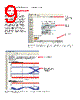
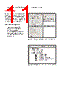
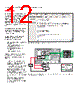
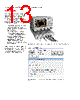
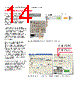
12 / 25 page  12 | Keysight | N5393D PCI Express® 3.0 (Gen3) Software for Infiniium Oscilloscopes - Data Sheet You can completely automate execution of your application’s tests and Add-Ins from a separate PC using the included N5452A Remote Interface feature (download free toolkit from www.keysight.com/find/ scope-apps-sw). You can even create and execute automation scripts right inside the application using a convenient built-in client. The commands required for each task may be created using a command wizard or from “remote hints” accessible throughout the user interface. Using automation, you can accelerate complex testing scenarios and even automate manual tasks such as: – Opening projects, executing tests and saving results – Executing tests repeatedly while changing configurations – Sending commands to external instruments – Executing tests out of ord Combine the power of built-in automation and extensibility to transform your application into a complete test suite executive: – Interact with your device controller to place it into desired states or test modes before test execution. – Configure additional instruments used in your test suite such as a pattern generator and probe switch matrix. – Export data generated by your tests and post-process it using your favorite environment, such as MATLAB, Python, LabVIEW, C, C++, Visual Basic etc. – Sequence or repeat the tests and “Add-In” custom steps execution in any order for complete test coverage of the test plan. Automation Figure 14. Remote Programming script in the Automation tab. Figure 15. Combine the power of built-in automation and extensibility to transform your application into a complete test suite executive. Custom tests Matlab processing C++ Script LabVIEW Results DUT or external instrument control Live signals Custom tests/Steps or post processing Pattern generator Switch matrix UDA add-in - DUT control - Instrument control Compliance app + Automation engine UDA add-in - Custom test/Steps - Post processing DUT |
|
|
Link URL |
| Lei ha avuto il aiuto da alldatasheet? [ DONATE ] |
Di alldatasheet | Richest di pubblicita | contatti | Privacy Policy | Collegamento alla scheda tecnica | scambio Link | Ricerca produttore All Rights Reserved©Alldatasheet.com |
| Russian : Alldatasheetru.com | Korean : Alldatasheet.co.kr | Spanish : Alldatasheet.es | French : Alldatasheet.fr | Italian : Alldatasheetit.com Portuguese : Alldatasheetpt.com | Polish : Alldatasheet.pl | Vietnamese : Alldatasheet.vn Indian : Alldatasheet.in | Mexican : Alldatasheet.com.mx | British : Alldatasheet.co.uk | New Zealand : Alldatasheet.co.nz |
|
Family Site : ic2ic.com |
icmetro.com |
 Italian ▼
 English
 Chinese
 German
 Japanese
 Russian
 Korean
 Spanish
 French
 Italian
 Portuguese
 Polish
 Vietnamese
 Indian
 Mexican
 British
 New Zealand